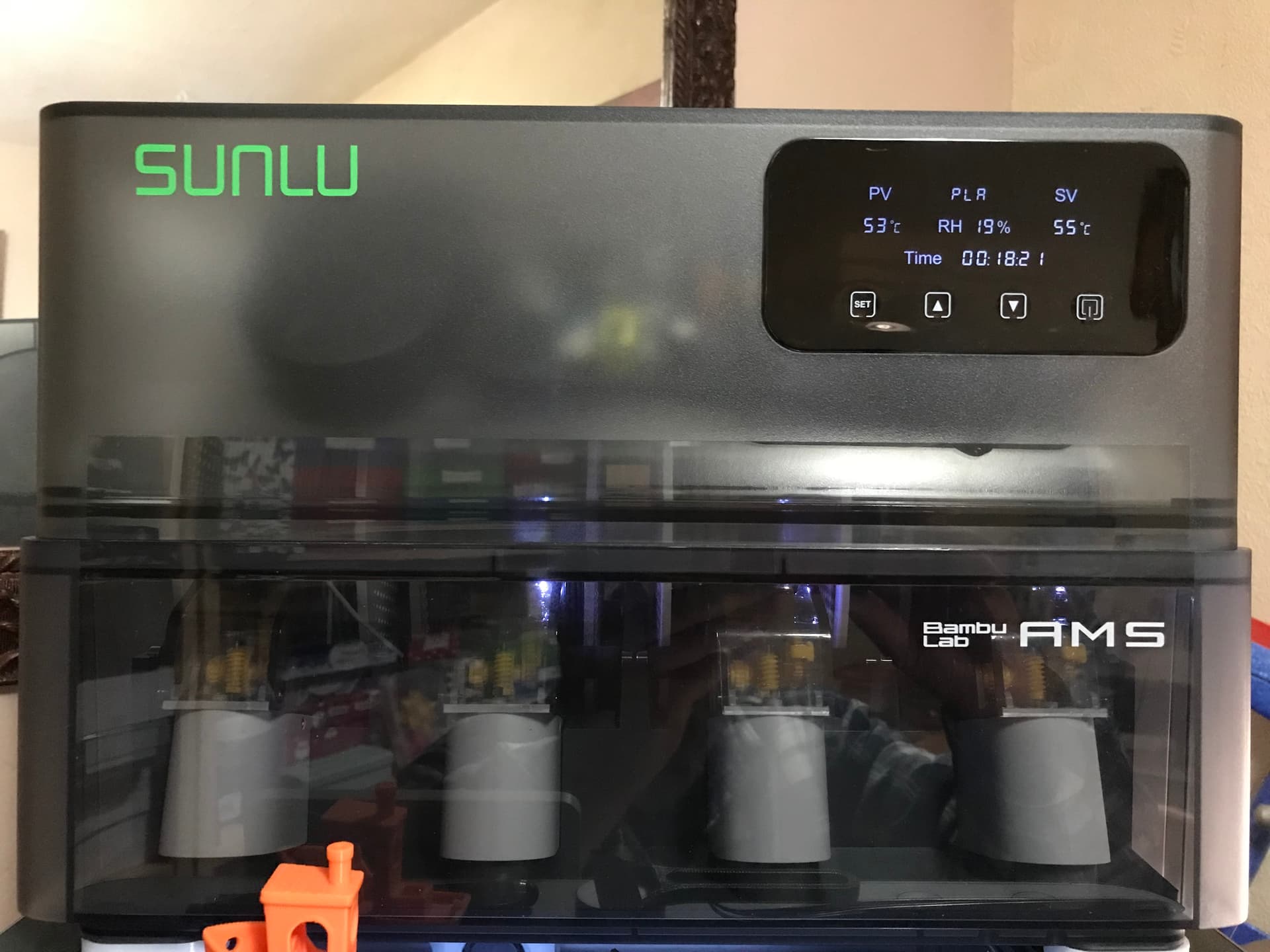
Invested in the latest offerings from Sunlu, no more raised eyebrows from her indoors over the cooker being used as a dryer…
2 Likes
I really hope that one day someone will figure out how to dry filament while it’s feeding into the extruder instead of having to find desktop space for another appliance 
1 Like
The Sunlu above is independent from the AMS hence it does dry while printing is in progress.
The one thing I’d add to it is a capability of rotating the filament while drying… 
1 Like
So the filament reel is drying, but is connected to to AMS and from there goes to the extruder?
That is cool.
I thought it was just a mini oven where you pre-dry the whole filament reel.
That never made sense to me as you would need to constantly re-dry your filament adding a big energy cost.
But hey, I get all my printing done and don’t even have AMS. Until the next Bambulab sale, that is
1 Like
Bought myself a radtel scanner, there’s a heliport near me so hoping I will be able to hear when they are up and about.
£27 from Amazon and it looks good so far
2 Likes
The dryer is humidity controlled, I haven’t set it up yet but you can set the threshold level for it to kick in.
I’ve reduced my energy footprint now I’m not going to use the electric oven anymore, plus I now predominantly print on the BBL Super-Tack plate set to 0nly 30C for PLA Basic and 50C for PLA Carbon.
@GVG_Air which printer are you using?
2 Likes
@toocat welcome, could you post a link to your radtel scanner. it might be useful for others on here, Please
1 Like
Welcome to the forum.
That’s an interesting solution.
What model did you buy?
1 Like
Bambulab A1 Mini.
It was going to be the big A1, but reviews showed that the Mini has a bit more accuracy, and I mostly print small stuff.
I think it’s stellar.
I was really impressed that it was able to print a lens insert for my analog goggles, reproducing the .8mm locking groove so it was a perfect fit.
And that was on first attempt.
Mind you I’m coming off a Toybox printer I found in the street that I restored and tweaked, and an Ender 3 before that, neither of which were remotely reliable or consistent, let alone accurate.
1 Like
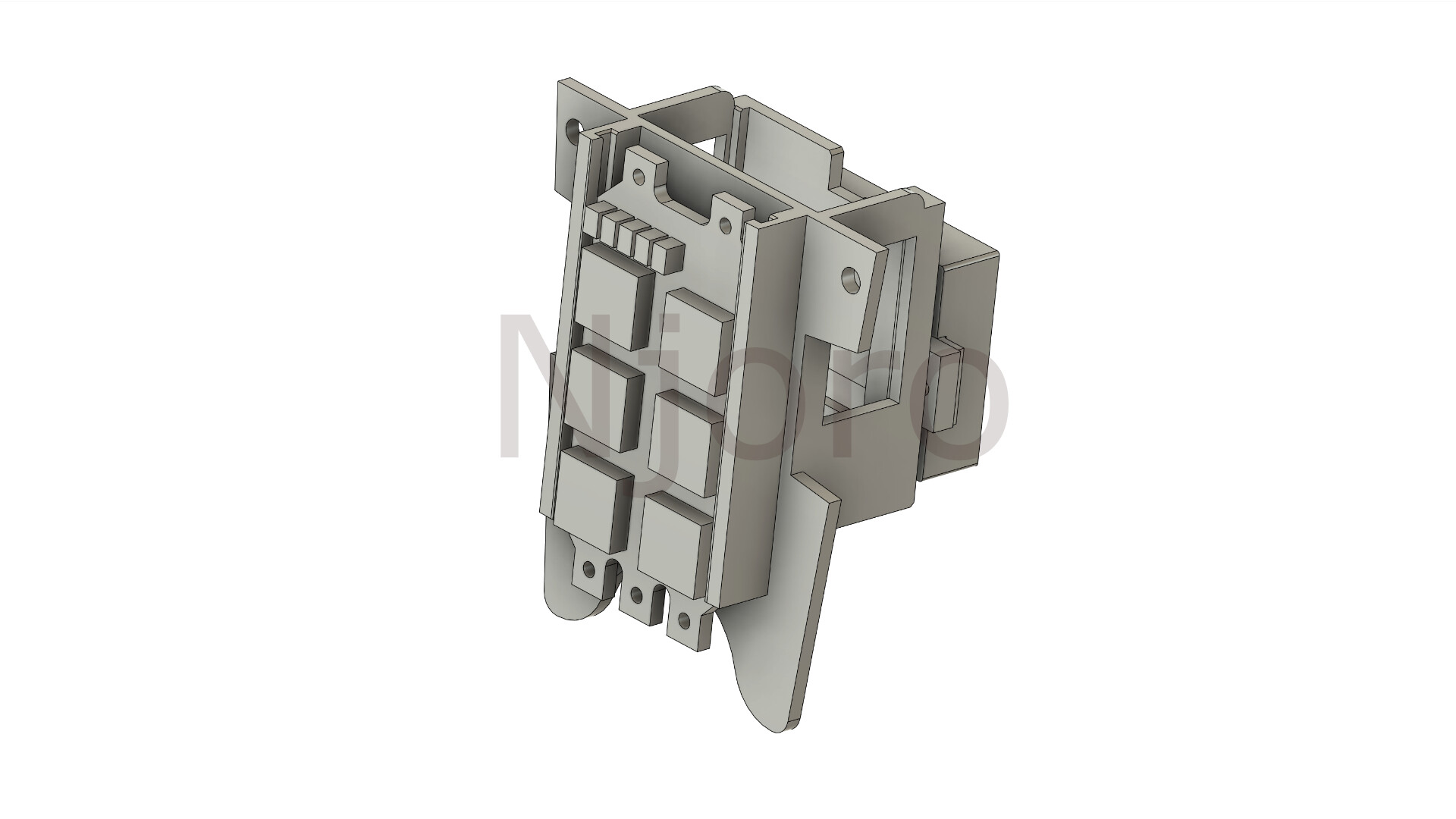
Nothing wrong with that if it does the job, I had to upgrade to the X1C for speed as my designs were getting more and more complicated which require several iteration to finalize. It was a case of having to wait 2~4 Hr only to find on completing the print there’s a need to change something as small as moving a hole by 0.2mm.
The below example has undergone 30 design changes, print time 1H 22min each, but by splitting it at times it’s possible to print just the changes without having to print the entire thing.
3 Likes
Yes, I looked at the X1.
For me, it’s real advantages are the enclosure and the huge static bed.
But I don’t print anything big at this stage and I can’t really afford to print in anything other than consumer PLA.
With iterative design, there’s no magic bullet, really. All printing processes are slow.
When prototyping things that can be upscaled, I always ask myself ‘Is this not something I can do with Lego?’ 
Or, when considering a large volume print: ‘Can’t I just make this in wood?’
I think I need to learn a more advanced CAD, too, one that’s oriented towards mechanical engineering. Rhino / Grasshopper is an amazing combo for wonderful forms, but I find the interface struggles with complexity.
I did consider an SLS, but was put off by the complexity of the process.
I think that will be my next purchase though, as small, round parts that need to interlock are just never going to work with FDM. Print vertically and they split along layer lines. Print horizontally and they don’t come out round 
2 Likes
If you have TD background, I’d recommend biting the bullet on CAD by having a go with Autodesk Fusion360 noncommercial license as it’s free. The key to nearly mastering Fusion is to only design the thing you want and which you have a clear image of in your mind.
Try it Here
2 Likes
I don’t have a TD background.
My background is philosophy of psychology, which was no background at all until LLMs came along. And even then it’s not much use because it’s too meta.
I’m more like a janitor - I know how to do a few things and learn along the way.
I’ve got the Fusion licence, just need to go back to it and refamiliarise.
I wonder if Fusion is any good at photogrammetry? Say, if I wanted to import a photo and have it generate outline curves. The Rhino version of this is very basic. It can just about manage a drawing.
1 Like
The problem with this is that it is continually dehumidifying the entire roll, taking up a lot of space.
I imagine a tiny dehumidifier that only works on the filament that passes through it. Maybe it could be small enough to sit on the extruder.
Given that FDM printers already use energy generating heat and moving air, there is potential to make this a passive solution, too.
And how about a miniature vacuum chamber that removes bubbles from molten filament incorporated into the extruder?
2 Likes
I tried that idea by creating a gasket between the printer and AMS, it kind of worked but in the end I had to abandon it also I modified one of the early Sunlu single spool holder by incorporating a circulation fan, which has worked and still use while printing Carbon filaments as they are not recommended for the AMS..
I’ve set up the Sunlu add on to run based on Humidity, now I just need to install the desiccant holders into the AMS and they too will benefit from the drying process. we’ll see
2 Likes
Yes but it’s not intuitive and it’s longwinded as it’s not automatic, good for reverse engineering mechanical from a 2D copy to an extruded part but does require a lot more work to be exact.
2 Likes
This is all very well until you need to model something with a lot of curves.
There are probably dedicated apps for that though; I should take a look around.
I remember there were also forms of geometry that Fusion refused to move between.
Rhino can move between STL and NURBS very well, but it doesn’t give any help in optimising the number of triangles. You know when you’ve overdone it when the mouse cursor stops moving for two days 
I think there is a geometry for round, smooth models in Fusion that I could never convert into anything useful, and it throws up endless errors.
AFAIK, Rhino can convert anything to anything.
And it will make your model watertight and close gaps reliably, too.
2 Likes
Fusion has a very powerful surface modeling tool for those complex covertures here. It can import .stl to edit but this feature is only available in the subscription version. For parametric designs it’s professional level workflow and being able to export either .stl or high quality 3MF files straight to BBL Studio where one can then adjust the number of triangles, typically slice and print on average over 20,000 triangles and as high as 56,000.
Most of my prints are more or less flowless nowadays, especially having upgraded my nozzle to a Diamondback tip, and yes the Diamond tip is an industrial Diamond.
I do tend to go over the top…but I enjoy it.
2 Likes
Welcome @toocat to the Hub!