Total newbie. Got my Avatar 360 a few days ago. Downloaded all the firmware updates, uploaded CAA ID, etc but when I try to fly I get these warnings and they’re driving me mad. I have sat outside in an open space so satellite coverage should not be an issue. I am connected via cable to DJI Fly Outdoors app. Could anyone help a newbie?
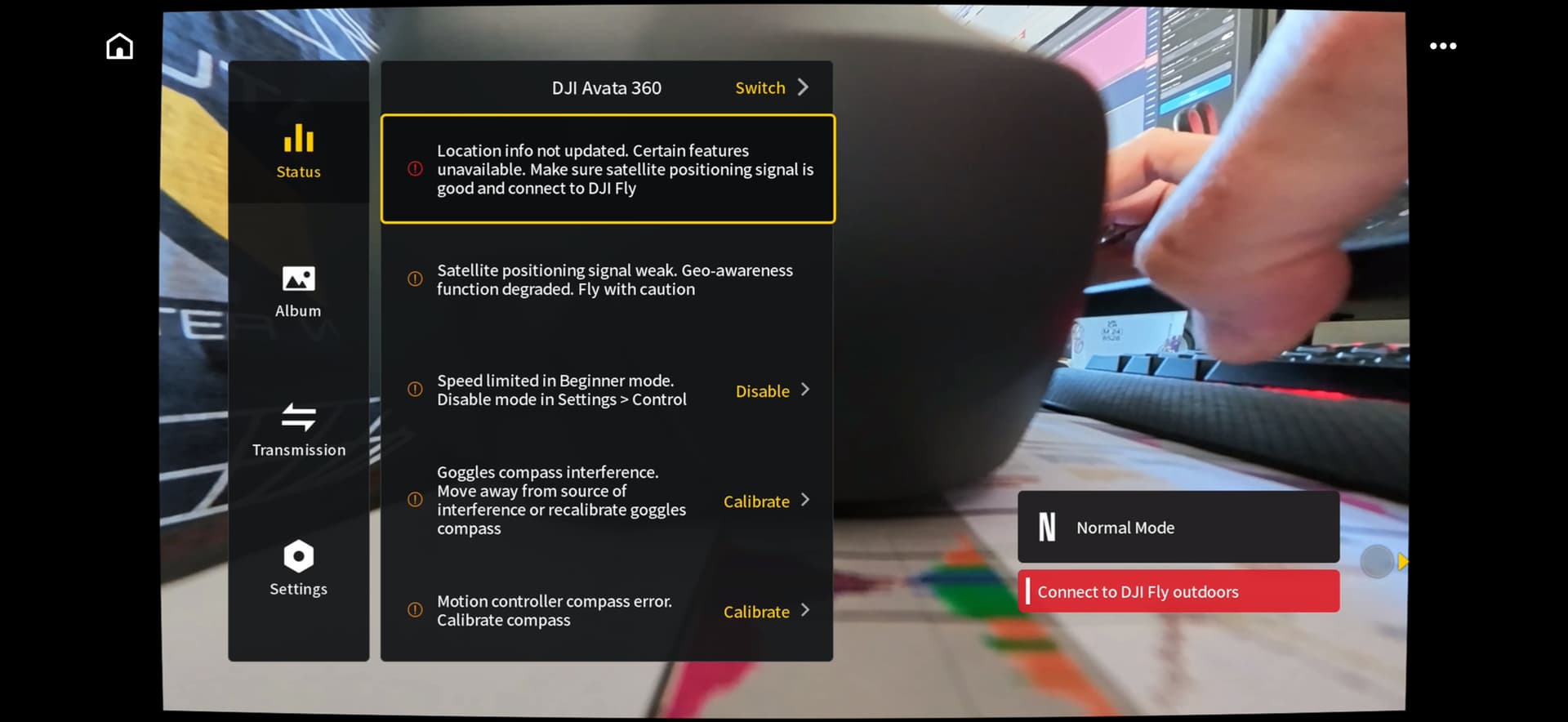
Hi Fletch, your drone’s GPS, Remote ID, or user account validation needs a clear sky and an internet connection, may work if not technical support needed or try this…
Perform the “Sky Handshake”
Thanks, Fisherman. I have managed to fly, but the red message about connecting to DJI Fly remains. I have about 35 sats in the sky, so that’s not a problem. Cannot work out what I am doing wrong (if obvs me!). Lol.
Hope someone can help, am interested on the out come…good luck Fletch
“Are you logged in though”?
Hi there. Yes, I believe so.
Try Logging in and out while you’re connected to your home wifi… 
followed by connecting the drone after a successful login. If login is successful and the problem persists try a different cable as some are charging cables and don’t have data connectivity.
Hi all. Thanks to everyone who tried to help me. I have fixed it! It turns out it was my iPhone that was the weak link. I unplugged it and used my iPad instead and, hey presto, all connected up. Whoosh, off I went across the trees! What a rush! Thanks all.
Maybe there is a setting on my iPhone that I need to mess around with…
1 Like
There’s many ways to skin a cat " or so saying go’s "
Well done working your problem out must admit didn’t think it was that 